
Working Ways to Scrape Amazon Reviews in 2026
For sellers, analysts, and product teams, reading Amazon review data is often more useful than sales numbers. You can spot quality issues, pricing complaints, and feature gaps just by analyzing enough of them.
Manual review collection may help you get started. But what if you’re collecting hundreds or thousands of reviews? You’d want to avoid that, as it takes up enough of your time. And that’s where scraping comes in.
This guide walks through practical ways to scrape Amazon reviews, what each approach is good at, and where it falls apart. You’ll also see why proxies matter once scraping moves beyond small experiments and into real workloads.
Disclaimer: This article is for educational and informational purposes only. Our goal is to help you realize what’s involved, including tradeoffs and risks. It explains common approaches for collecting and analyzing review data and doesn’t encourage violating Amazon’s Terms of Service or any applicable laws.
Why Scrape Amazon Reviews in the First Place?
One valid reason is to learn how web scraping works, build a side project, test a parser, and stress-test a data pipeline. But for most use cases, small to large businesses scrape Amazon reviews for the following reasons:
- To validate product ideas before you build anything: When the same complaint shows up again and again across competing products, that’s not noise. Scraping helps you spot real gaps across large datasets and focus on issues that matter.
- To see where competitors win and where they fall short: Amazon review patterns make this clear. A product might have a high overall rating, yet repeated complaints about durability, packaging, or support tell a different story. With the right filters, you can turn those signals into informed business actions.
- To use customer language instead of marketing language: Collecting reviews helps identify common phrases customers use. For example, if you sell a knife and reviewers keep calling it “insanely sharp” or “so sharp it slices paper in milliseconds,” you can mirror that wording in your product copy or tweak your CTAs, like saying, “Try this knife to experience how it insanely cuts pieces in a split second.”
- To track changes over time: While customer sentiment doesn’t stay static, Amazon reviews can show you trends. It can reveal quality drops, supply issues, or the impact of product updates. With that, it gives you early signals of problems or opportunities before they appear in sales reports or support tickets.
- To support serious analysis, not anecdotes: Large-scale review data supports real analysis. When you collect hundreds or thousands of reviews, you see consistent patterns, not isolated opinions. This level of data supports stronger decisions for product strategy, positioning, and research.
Is it legal to scrape Amazon reviews?
Scraping publicly available data isn’t automatically illegal, but it can violate Amazon’s terms of service. Even if review content is publicly visible, automated collection can still violate Amazon’s terms, which restrict data mining, robots, or other extraction tools without consent.
Legal outcomes also vary by jurisdiction and use case, including how data is collected and used, so it’s worth checking both before scraping at scale.
Top Methods for Scraping Amazon Reviews
While there are different methods for collecting reviews at scale, there’s no single “best way,” as it depends on how much data you need, the technicalities required, and how much control you want over the process. Below are the most common approaches:
Method 1: Manual Copying (Only for Very Small Datasets)
This is the starting point for most people. You navigate to an Amazon product page, iterate through the review pagination, and manually copy-paste data into a spreadsheet or document.
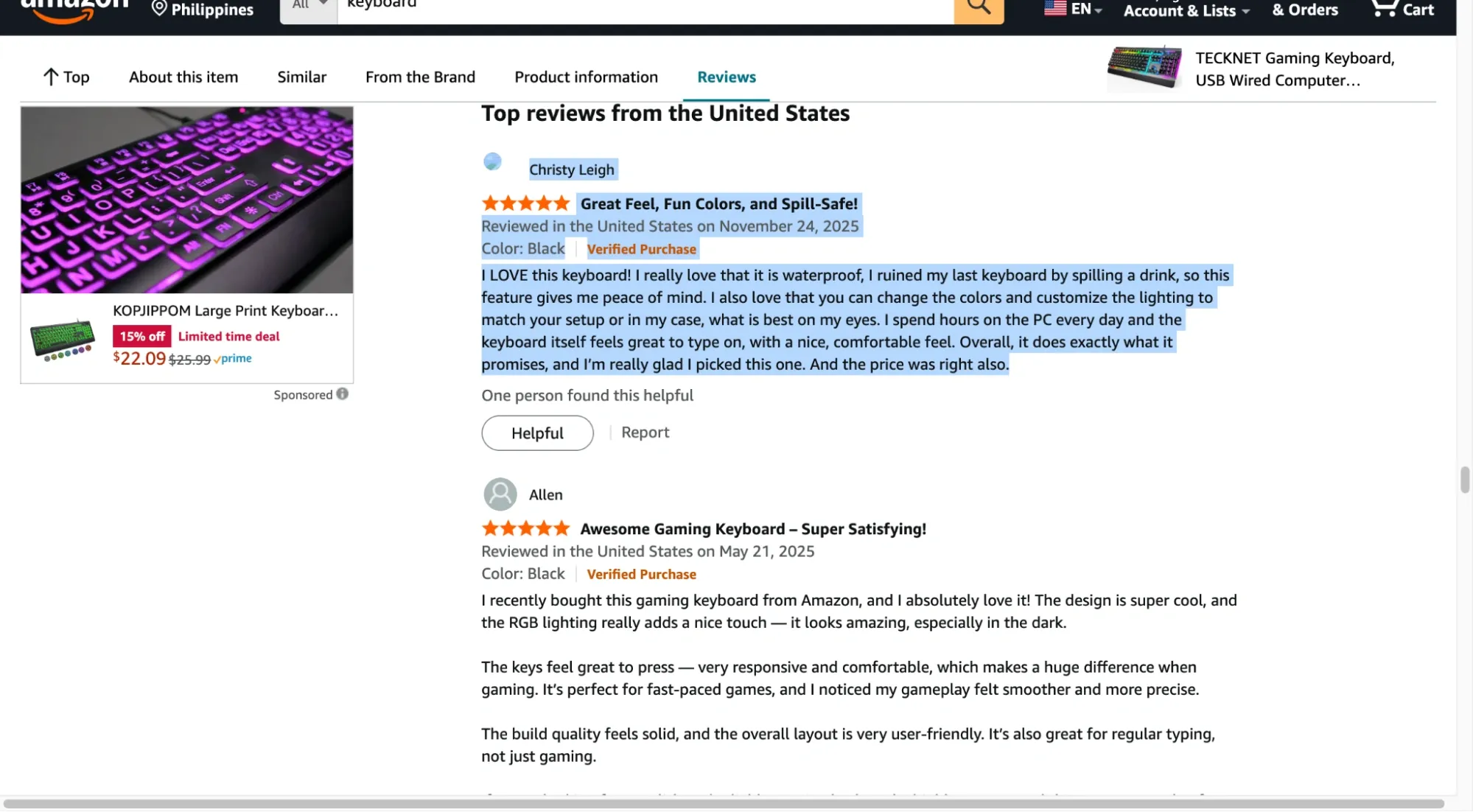
It’s slow, repetitive, and prone to errors. But for a few reviews, it’s sometimes faster than setting up tools.
| Pros | Cons |
|---|---|
| No setup beyond a browser and a spreadsheet | Becomes unmanageable beyond ~20–30 reviews |
| Requests resemble standard browsing behavior when performed manually. | Manual copying introduces formatting and missing-field errors |
| You can instantly ignore irrelevant or spam reviews | Extremely slow for paginated products with hundreds of reviews |
| Useful for quick validation or spot checks | Fast clicking or repeated page loads can still trigger CAPTCHAs |
Method 2: Using No-Code Scraping Tools & Browser Extensions
No-code scraping tools let you extract data using a visual interface instead of writing scripts. They’re commonly used by users without coding experience who need to review data at moderate scale.
To use them effectively, you still need a basic understanding of how web pages are structured. Knowing how to identify elements like review text or pagination controls in the Document Object Model (DOM) often determines whether a scrape succeeds or silently fails.
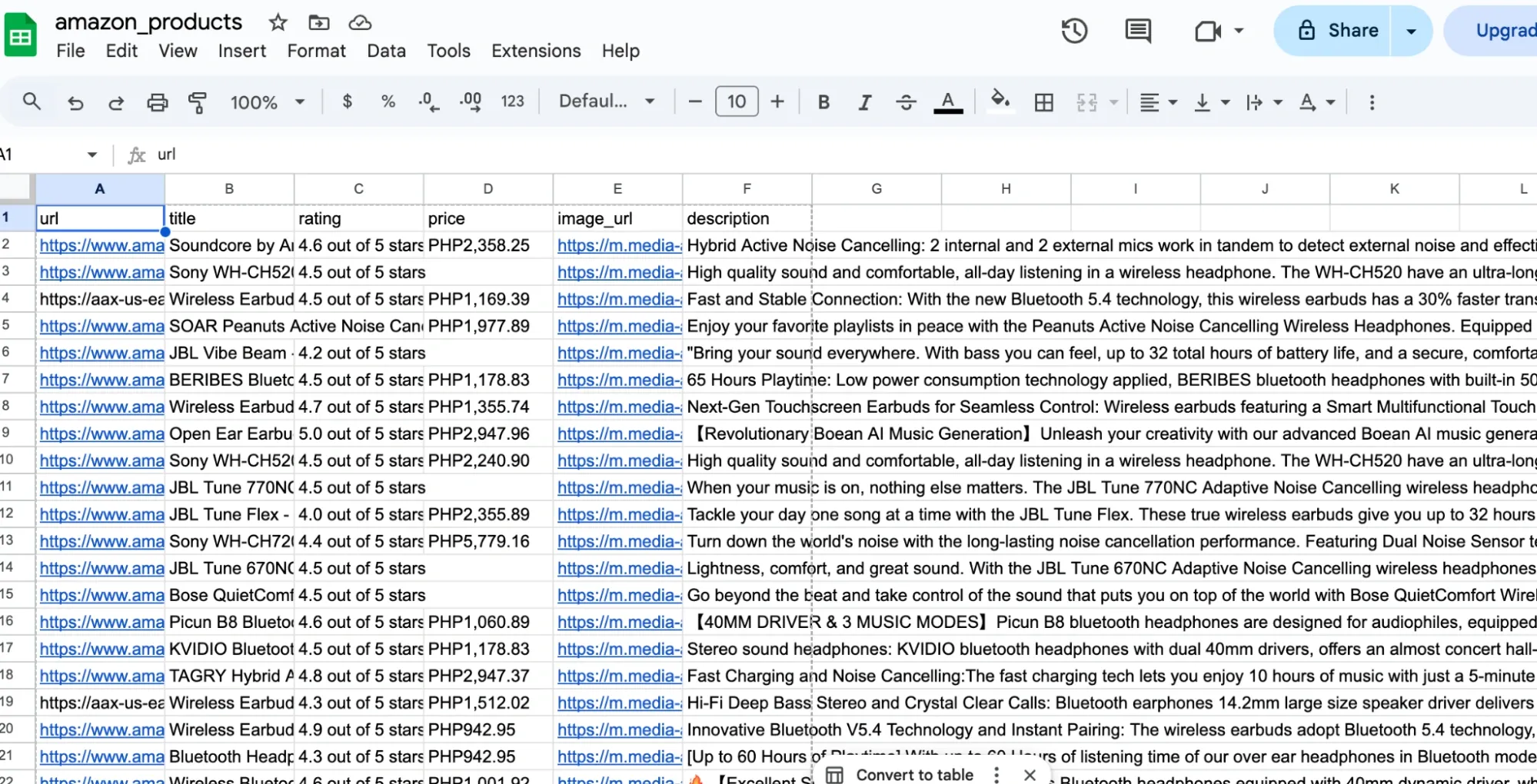
Common examples include Octoparse, WebScraper.io, and InstantDataScraper. These tools automate pagination and page requests and export results in structured formats such as CSV or JSON.
| Tool | Best for | Advantages | Disadvantages |
|---|---|---|---|
| Instant Data Scraper (extension) | Quick exports from simple pages | Very fast to use, minimal setup, great for small one-off pulls | Limited control for complex pagination and edge cases, breaks easily when page structure shifts |
| Web Scraper (WebScraper.io extension) | Visual scraping inside the browser | Clear selector-based setup, good for lists and basic pagination | Projects can get messy on complex sites, depends heavily on stable HTML structure |
| Data Miner (extension) | Template-style scraping |
Useful templates, quick exports |
Limits show up fast on larger runs, complex logic is hard to express |
| Octoparse (desktop) | Repeatable workflows without code | Visual flow builder, handles multi-step pagination, supports scheduling and exports | Takes longer to learn, bigger runs can hit tool limits or pricing walls |
| ParseHub (desktop) | More complex “if this, then that” flows | Better control than most extensions, supports multi-page projects | Slower on heavy pages, projects often need maintenance when the layout changes |
| Tool | Best for |
|---|---|
| Can extract reviews in minutes without writing code | Scrapers fail when Amazon changes HTML structure |
| Handles pagination automatically |
Limited control over headers, delays, and sessions |
| Exports clean CSV/JSON files | Usually restricted to single-threaded or low-concurrency runs |
| Some tools include basic proxy support |
Credit-based pricing scales poorly for large datasets |
Method 3: Scraping APIs and Managed Scrapers
Managed scrapers (often called Scraper-as-a-Service) act as an abstraction layer between you and Amazon’s complex anti-bot infrastructure. Instead of writing code to navigate the DOM, you interact with a high-level API endpoint or a managed cloud platform.
In this workflow, you provide an ASIN (Amazon Standard Identification Number) or a Product URL, and the service returns a structured JSON response. The service fetches the reviews, parses them, and returns clean fields like rating, title, body text, date, and reviewer metadata.
The provider manages the heavy lifting that usually breaks custom scripts, such as:
- Residential proxy rotation: Routing requests through distributed residential IPs to support stable data collection.
- Request consistency handling: Managing headers and browser signals to maintain consistent request patterns.
- Automatic retries: Temporary failures, such as throttled requests, are retried automatically without user intervention.
- Parsing-as-a-service: They handle the CSS selector updates. If Amazon changes its layout, the API provider updates their parser on the backend so your integration doesn't break.
Platforms like Apify, Oxylabs, and Bright Data offer managed Amazon scrapers as part of their tooling. Some expose them as APIs for developers. And others wrap them in dashboards for analysts and non-technical users.
If you want a broader comparison of tools and services in this category, this overview of Amazon scraper tools breaks down common options and where they tend to fit best.
| Pros | Cons |
|---|---|
| No need to manage proxies, retries, or parsing logic | Costs increase quickly with volume or frequent runs |
| Stable even when Amazon updates layouts | Limited ability to customize request behavior |
| Structured, validated output (ratings, text, dates) | Large jobs may be queued or throttled |
| Minimal engineering effort required | You can only access fields the provider exposes |
Method 4: Custom Scripts with Proxies (Most Control)
Now, if you’re a developer and love coding, this method is right for you. Writing a custom script gives you complete control over how you collect, parse and store Amazon reviews data. You write the scraper yourself using Python, Node.js, or another language, which means you decide exactly how requests flow, how errors get handled, and how data gets structured.
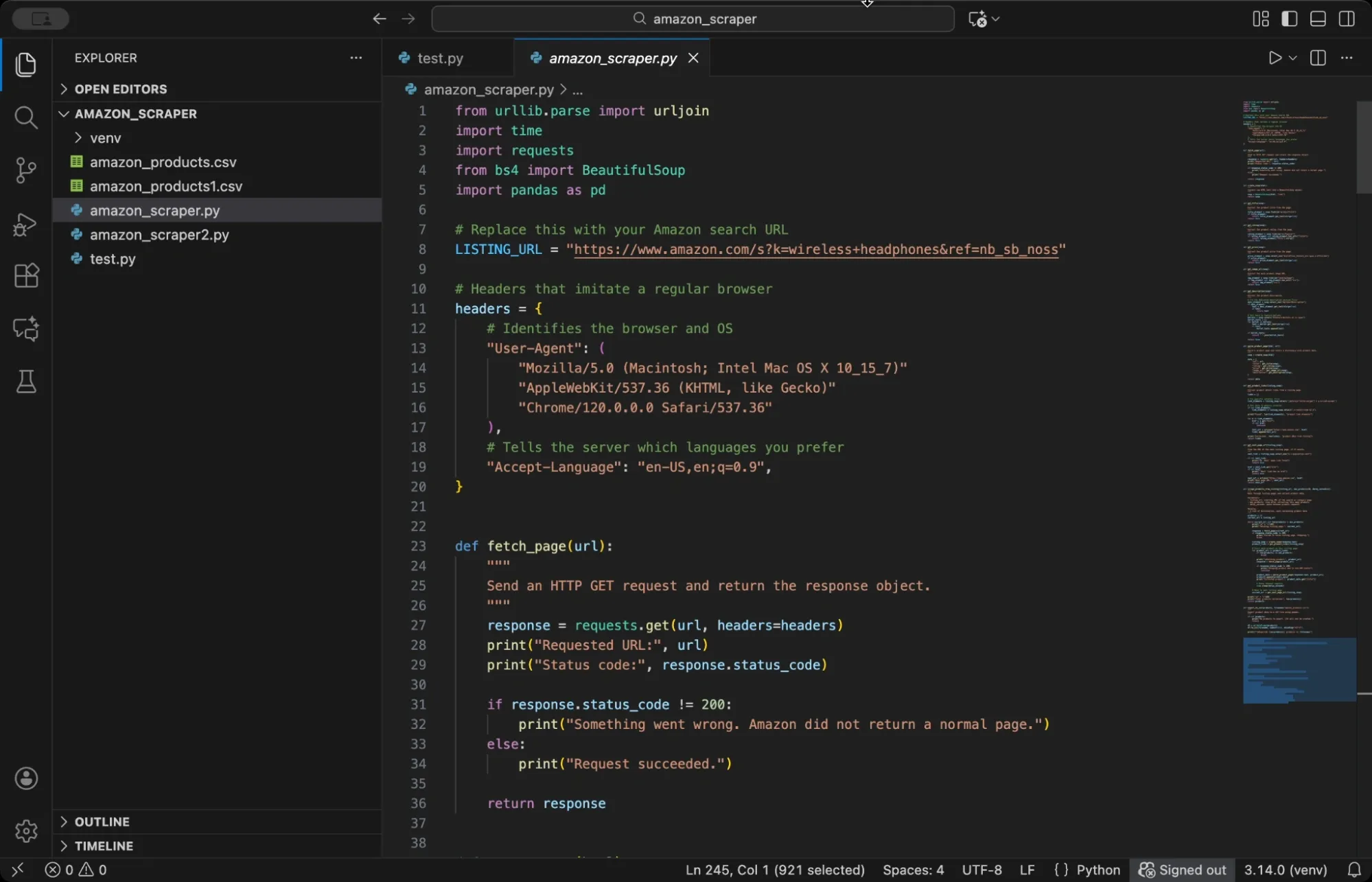
While this method has some technicalities and might not suit everyone, it allows you to get started with minimal upfront cost, aside from proxy and infrastructure requirements. We have a complete guide to scraping Amazon using Python that walks you through the steps to get started. Or you can play around with some open source repos from GitHub’s “amazon-scraper” topic page, it’s a good place to find ready-made scrapers you can tweak.
But to give you an overview and get this method to work, you have to prepare for these prerequisites:
- Basic programming knowledge in Python, Node.js, or similar languages
- Understanding of HTTP requests and how web pages load
- Familiarity with HTML structure and parsing (or willingness to learn)
- Access to proxy services for IP rotation
- Text editor or IDE for writing and running scripts
Also, you don’t always have to build everything from scratch. There are open-source libraries and frameworks that already handle the hard parts, such as crawling, parsing, browser automation, retries, and concurrency. You can pick the one that matches your case, then layer proxies on top. Here are some examples:
| Framework / library | Advantages | Disadvantages |
|---|---|---|
| Scrapy (Python) | Good when you need to crawl at scale. Built-in retry logic, request scheduling, throttling, and clean data exports | Takes time to learn and wire up. If review content loads via JavaScript, Scrapy will miss it unless you add a browser step |
| Selenium / Playwright (Python/Node.js) |
Can interact with the page like a real user, click “Next”, wait for elements, and capture content that appears after JS runs |
Slower than HTTP scraping and costs more to run. More moving parts, and UI changes can break selectors |
| Beautiful Soup (Python) | Very easy to extract fields from HTML. Great for quick scripts and simple pages | Only parses. You still need a fetch layer plus retries, rate limiting, pagination, and proxy rotation |
| Crawlee (Node.js) |
Useful middle ground. Gives you queues, retries, session handling, and proxy hooks without building everything from scratch |
Needs configuration and tuning (concurrency, delays, session rules). It can still get blocked if your crawler behaves too aggressively |
| Puppeteer (Node.js) | Good for browser-based scraping in Node, especially when you need the full rendered DOM | Resource-heavy and slower. Selector breakage is common when layouts change, and large runs can get expensive |
| Pros | Cons |
|---|---|
| You control headers, delays, parsing, and storage |
Scrapers must be updated when layouts change |
| Can extract any visible or embedded review field |
Requires handling CAPTCHAs, retries, and failures |
| Lowest long-term cost at scale | Initial setup takes time and experience |
| Integrates directly with databases or pipelines |
Poor proxy management can lead to frequent request failures. |
Why Proxies Matter When Scraping Amazon Reviews
Amazon keeps a close eye on how its pages are accessed. If too many requests come from the same IP, even well-spaced ones, it doesn’t take long before rate limits, CAPTCHA, or temporary blocks show up. At that point, the scraper itself isn’t the problem. The network footprint is.
Amazon looks at more than IP volume. It also evaluates browser signals, request consistency, and behavioral patterns, and in some cases, account or session context. Proxies can reduce per-IP rate limiting in some scenarios by spreading requests across multiple IP addresses, but they don’t guarantee access or success.
Instead of a single source hitting review pages repeatedly, traffic is distributed across multiple IPs, reducing the concentration on a single address. That difference is what keeps scraping runs alive long enough to finish.
They help in a few practical ways:
- Requests are spread out, so no single IP gets flagged
- CAPTCHAs may still appear. Some setups reduce how often you see challenges, but outcomes vary widely based on request patterns, signals, and enforcement changes.
- Location stays consistent when scraping country-specific reviews
But do take note that not all proxies work equally well. Residential and ISP proxies tend to perform best because they look like real consumer traffic. On the other side, Datacenter proxies are faster and cheaper, but they trigger blocks more easily.
To sum up, how you rotate matters too. Holding the same IP across pagination looks more natural than switching on every request. Predictable traffic lasts longer.
Which Method is Best for Scraping Amazon Reviews?
The right way to scrape Amazon reviews depends on how often you need the data and how much control you want over the process.
- If you are learning or experimenting: Manual collection or small scripts are enough. They help you understand page structure and pagination without much setup.
- If you need review data occasionally: No-code tools or managed scrapers are easier to maintain. They trade flexibility for convenience, which works when volume is limited.
- If scraping becomes part of an ongoing workflow: Custom scripts can give you control, but managed solutions can be more reliable if you don’t want to maintain parsers and anti-breakage handling. At that point, a stable proxy infrastructure becomes necessary to keep the collection consistent at scale.
If you reach that stage, we at Ping Proxies offer residential and ISP proxies that fit long-running review scraping workflows without requiring constant reconfiguration.
Start with the simplest method that works. Scale your tooling and infrastructure only when scraping becomes a regular part of your workflow.
