
How to parse XML in Python?

XML is commonly used in RSS feeds, sitemaps, configuration files, and some older APIs. Even if it’s not part of your daily workflow, Python developers often run into XML when they need to parse structured data from these sources.
This guide shows how to parse XML in Python, the practical way. We’ll cover reading XML from files, strings, and URLs, handling namespaces correctly, and working with large XML files without memory issues. By the end, you’ll know exactly which tools to use and why.
What XML Parsing Means In Python
In Python, XML parsing means reading an XML document and converting it into a structure your code can work with directly. Instead of handling raw text, Python represents the XML as a tree of elements that you can navigate and query.
Each tag in the XML becomes an element in that tree. Nested tags form parent and child relationships, while attributes are stored as simple key-value pairs. Once the document is parsed, you can move through this structure, extract values, and transform the data into formats like lists, dictionaries, or CSV files.
Parsing does not change the XML itself. It simply gives you access to its contents in a controlled and predictable way. What you do with that data next depends on your use case, whether that’s analysis, storage, or further processing.
Choose The Right XML Parser
XML parsing in Python isn’t one fixed workflow. The best approach depends on what the XML looks like and what you’re trying to do with it. The key is starting with a reliable default, then switching only when the input or requirements push you there.
For most well-formed XML, a tree-based parser is the cleanest option because it mirrors the document’s structure. That’s why ElementTree is the usual starting point. It’s built in, easy to work with, and covers the common cases where you’re loading XML and extracting a handful of values.
If the file is large, iterparse() lets you stream elements instead of loading the whole tree. If you need full XPath or schema validation, lxml is the upgrade that saves you from awkward workarounds. If the XML is inconsistent but still well-formed, BeautifulSoup can be a convenient extraction API. If the input is truly not well-formed XML, use lxml with recovery enabled or parse it as HTML (best-effort), depending on what you need.
What You Need
You don’t need much setup to work through the examples in this guide. Python’s standard library already covers most XML parsing use cases.
All examples use Python 3 and assume you have an XML source to work with, whether that’s a local file, a string, or XML fetched from a web request.
ElementTree is the primary parser used throughout the guide and is included with Python by default. Other libraries show up only in specific scenarios. requests is used when fetching XML over HTTP, lxml appears when full XPath or schema validation is needed, and BeautifulSoup is used for best-effort extraction when the XML itself is inconsistent.
That’s it. You can start with the standard library and pull in extra tools only if the input or requirements call for them.
Parse XML With ElementTree
ElementTree is usually the right starting point for parsing XML in Python. It’s part of the standard library, easy to reason about, and matches how XML is structured.
When you parse XML with ElementTree, Python turns it into a tree of elements. Each tag becomes an element object, with access to its text, attributes, and children. Once you have that tree, the rest of the work is just navigation and extraction.
Parse XML From A File
When the XML lives on disk, ElementTree can load it directly.
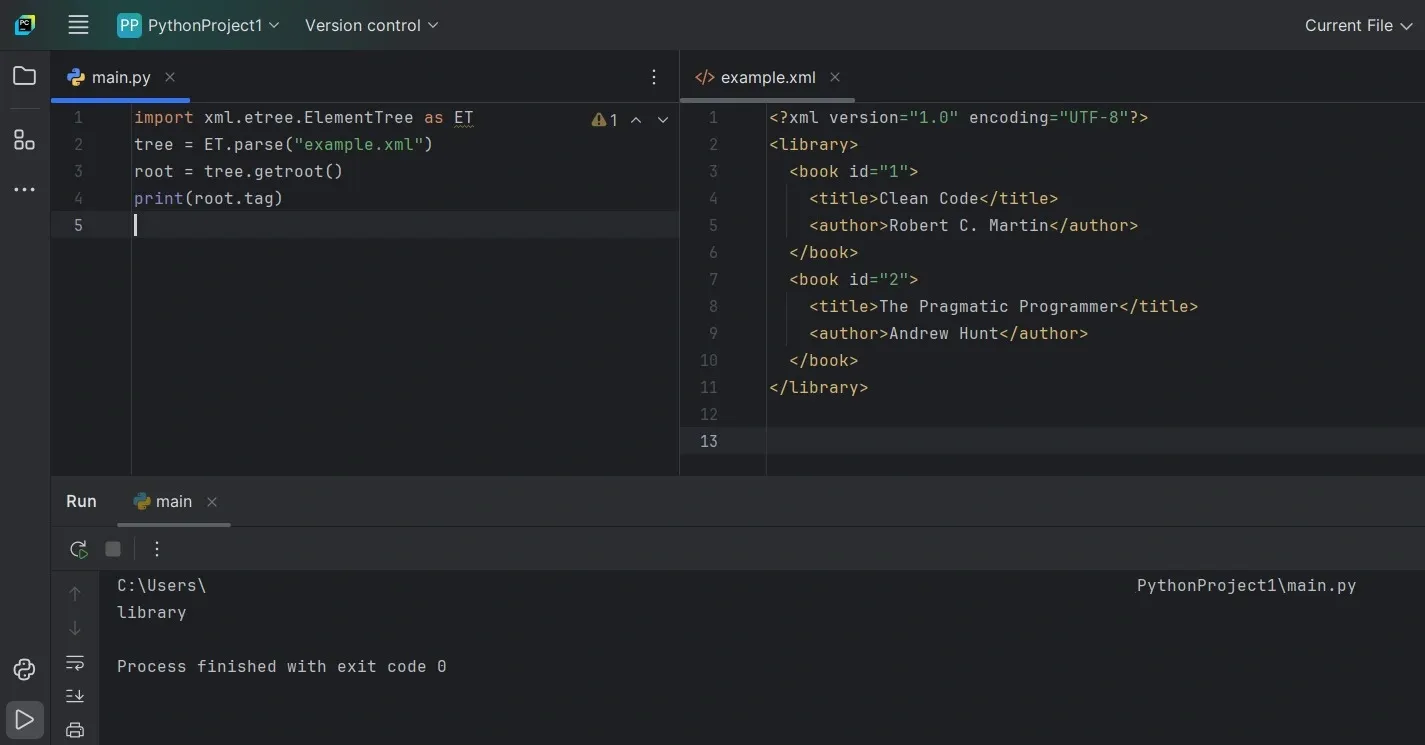
ET.parse() reads the file and builds the tree, while getroot() gives you the top-level element. If this fails, it’s usually because the file path is wrong or the XML itself is malformed.
A quick way to understand the structure is to inspect the first level of child tags:
This confirms the file loaded correctly and gives you a sense of where the data sits.
Parse XML From A String
XML often comes from API responses, test data, or embedded content instead of a file. In those cases, fromstring() works better.
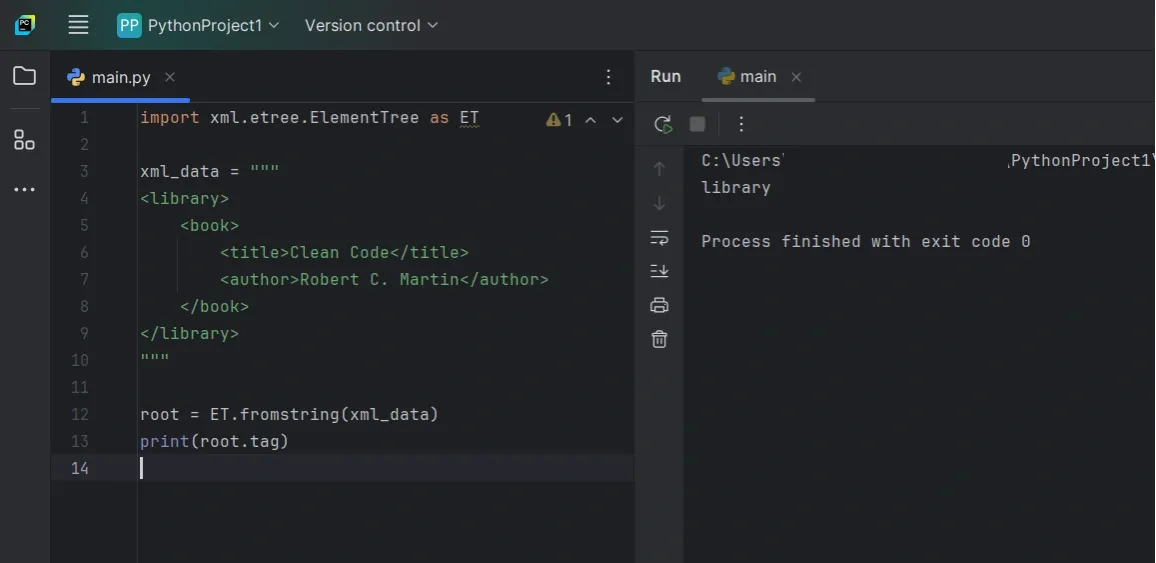
Once parsed, the resulting tree behaves the same way as one loaded from a file. You use the same methods to navigate and extract values.
Parse XML From A URL
When fetching XML from an API or feed, you typically grab the response first and then parse it.
One thing that matters here is timeouts. Requests do not set one by default, so it’s better to be explicit.
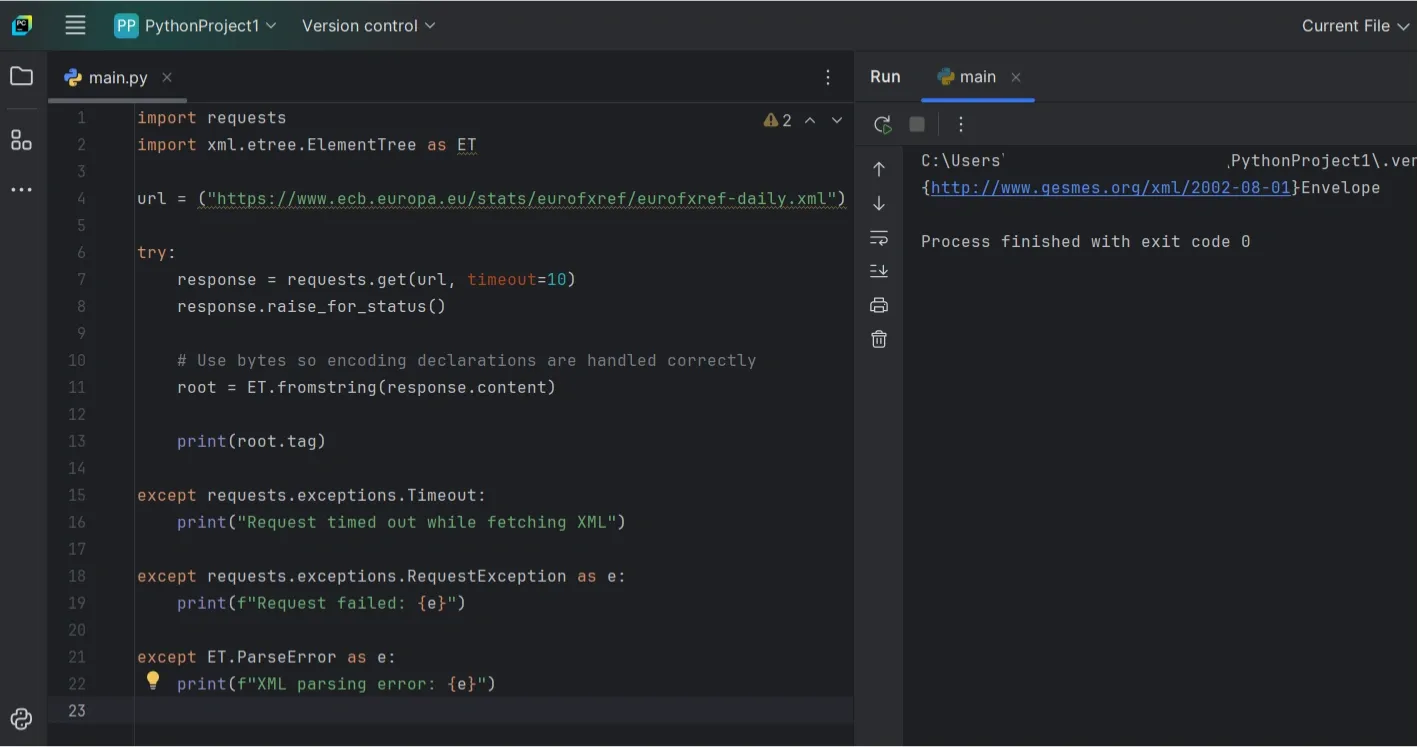
Using response.content instead of response.text avoids subtle encoding issues when the XML declares its own charset.
Explore The Element Tree
After parsing, it helps to quickly explore the structure before writing queries.
To see immediate children of the root element:
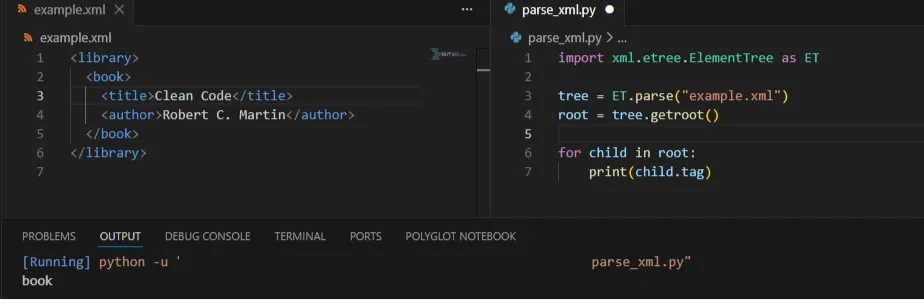
This prints the immediate child elements of the root, which is useful for quickly understanding the document structure.
If the document is deeper, iter() lets you scan tags across the tree:
You rarely need to inspect everything. Even a small sample usually tells you where the data lives.
Extract Tags And Text Safely
ElementTree returns None when a tag doesn’t exist, and .text can be empty even when the tag is present. Defensive checks make your parsing more predictable.
This pattern avoids common AttributeError issues and keeps your code resilient when the XML isn’t exactly what you expect.
Parse Large XML Files Without Blowing Up Memory (iterparse)
parse() is perfect for small and medium XML files. But once the file gets big, loading the entire tree into memory can slow everything down or crash your script. That’s when iterparse() starts to matter.
Instead of building the full document upfront, iterparse() walks through the file and hands you elements as they finish parsing. You grab what you need, clear the element, and keep moving.
Why iterparse() Works Better For Big Files
With iterparse(), the "end" event fires once an element is fully built, meaning its children and text are ready to use. That’s usually the event you want, because it lets you safely extract data without half-parsed edge cases.
elem.clear() usually keeps memory stable. If memory still grows, it helps to make sure you’re processing a repeating unit (like <record>) and clearing elements as soon as you’re done with them, without keeping extra references to processed elements. If you don’t clear, ElementTree keeps references around and memory climbs anyway.
A Simple iterparse() Pattern
This pattern processes repeated <record> elements and clears each one after it’s handled.
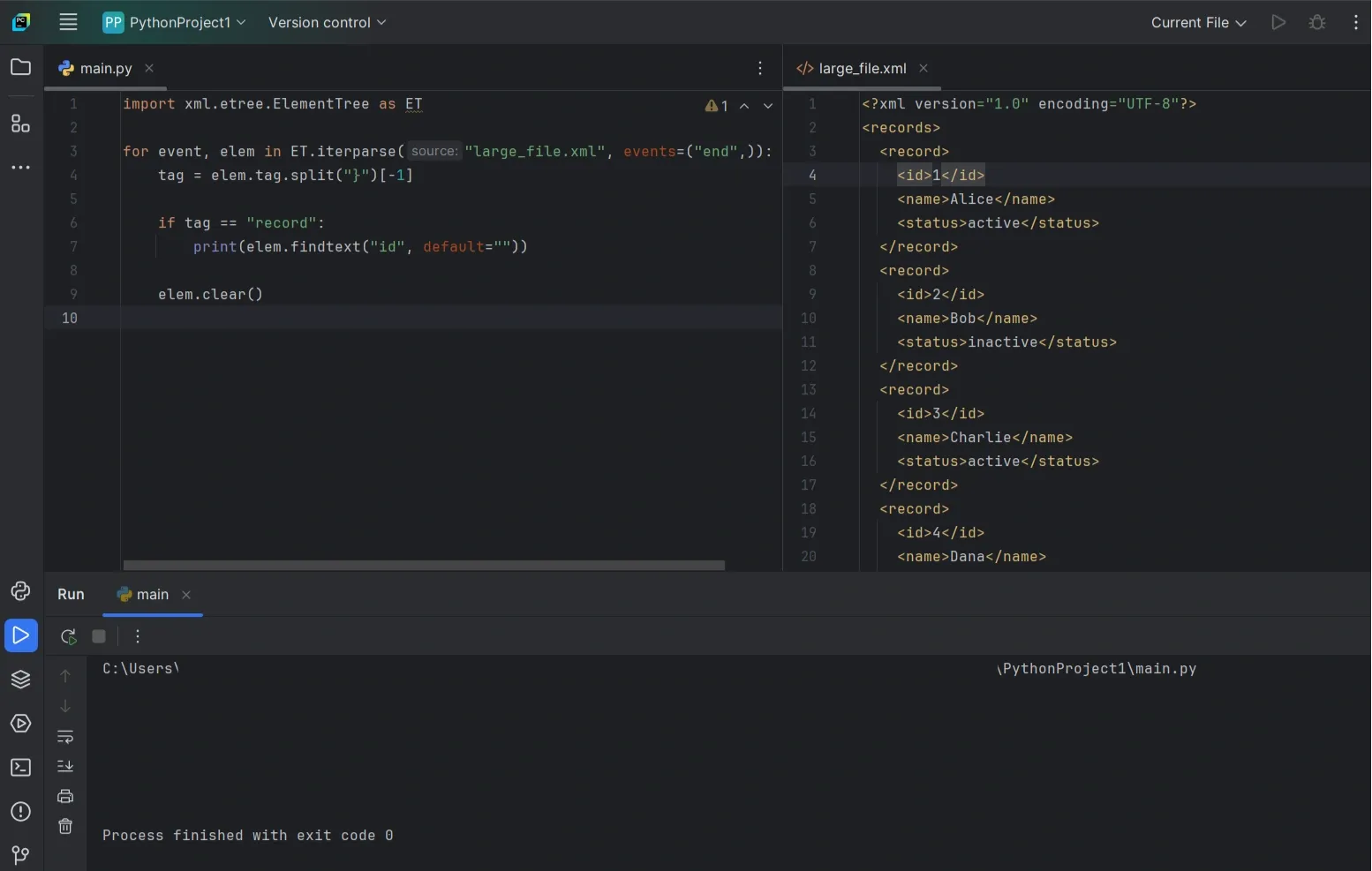
What’s happening here is straightforward. You wait until the record is complete, extract only what you need, then call elem.clear() so memory doesn’t creep up as the file streams.
Picking The Right Element To Stream
iterparse() works best when the XML has a repeating “unit” you can process one at a time, like <item>, <record>, or <entry>.
Aim for the element that represents one complete chunk of data. If you stream tiny child tags instead, the code gets harder to follow and you usually don’t gain anything.
When You Should Use iterparse()
Use it when the XML file is too large to load comfortably, you can process one record at a time, and you don’t need random access to the whole document. If the file is small, parse() is still simpler and easier to maintain.
Quick Way To Confirm It’s Working
If memory still climbs while your script runs, the usual cause is forgetting to clear elements. A simple sanity test is to process a limited number of records first and check that memory stays steady.
If memory stays stable while the count goes up, you’re using iterparse() the way it’s meant to be used.
Use lxml When You Need Full XPath Or Validation (Optional Upgrade)
ElementTree works well for simple XML parsing tasks like finding elements and reading values. If you need full XPath support, schema validation, or better handling of complex XML, lxml is usually the better choice.
It’s a third-party library built on libxml2, and the biggest win is full XPath support. You can often replace loops and nested find() calls with one XPath expression.
When lxml Is Worth Using
You’ll usually reach for lxml when:
- You need full XPath (not just ElementTree’s limited subset)
- You want to validate XML against an XSD schema
- You’re dealing with heavy namespaces or complex structures
- You want better error messages, or faster parsing on larger inputs
Install lxml
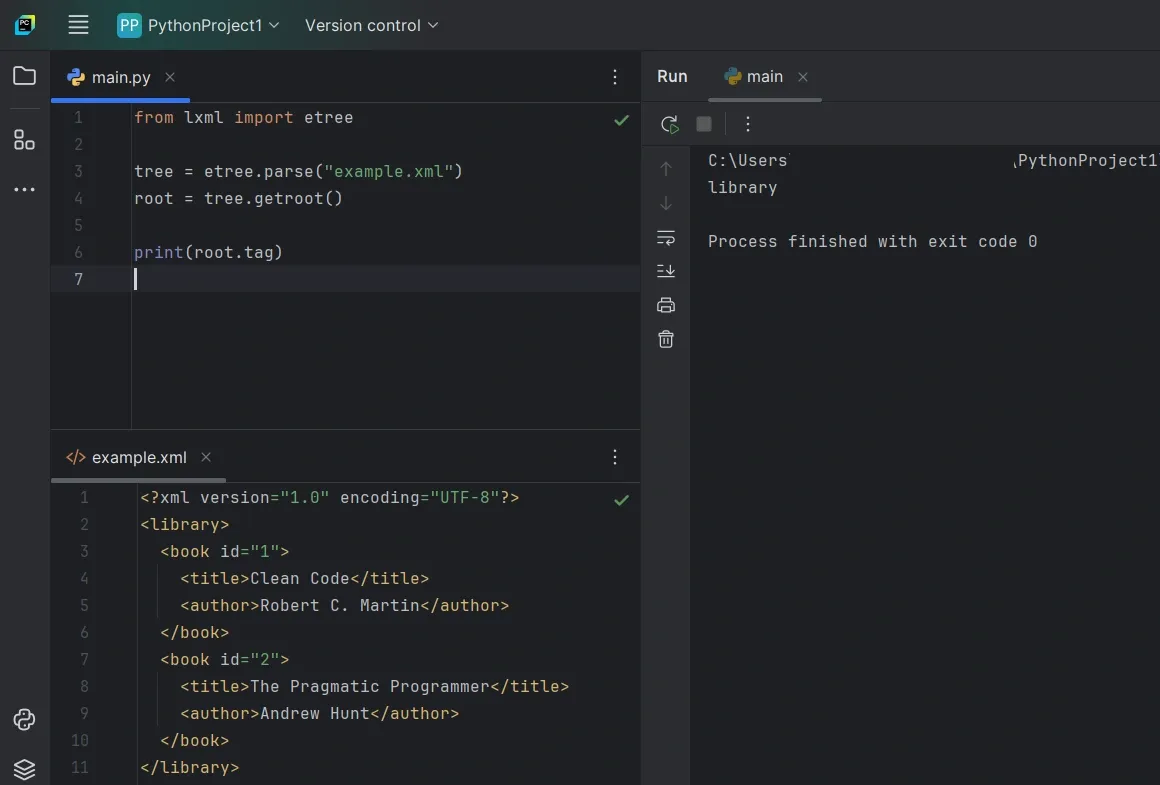
Parse XML With lxml
The basic workflow looks very similar to ElementTree.
Use XPath For Cleaner Queries
With full XPath, you can target elements and extract text in one step.
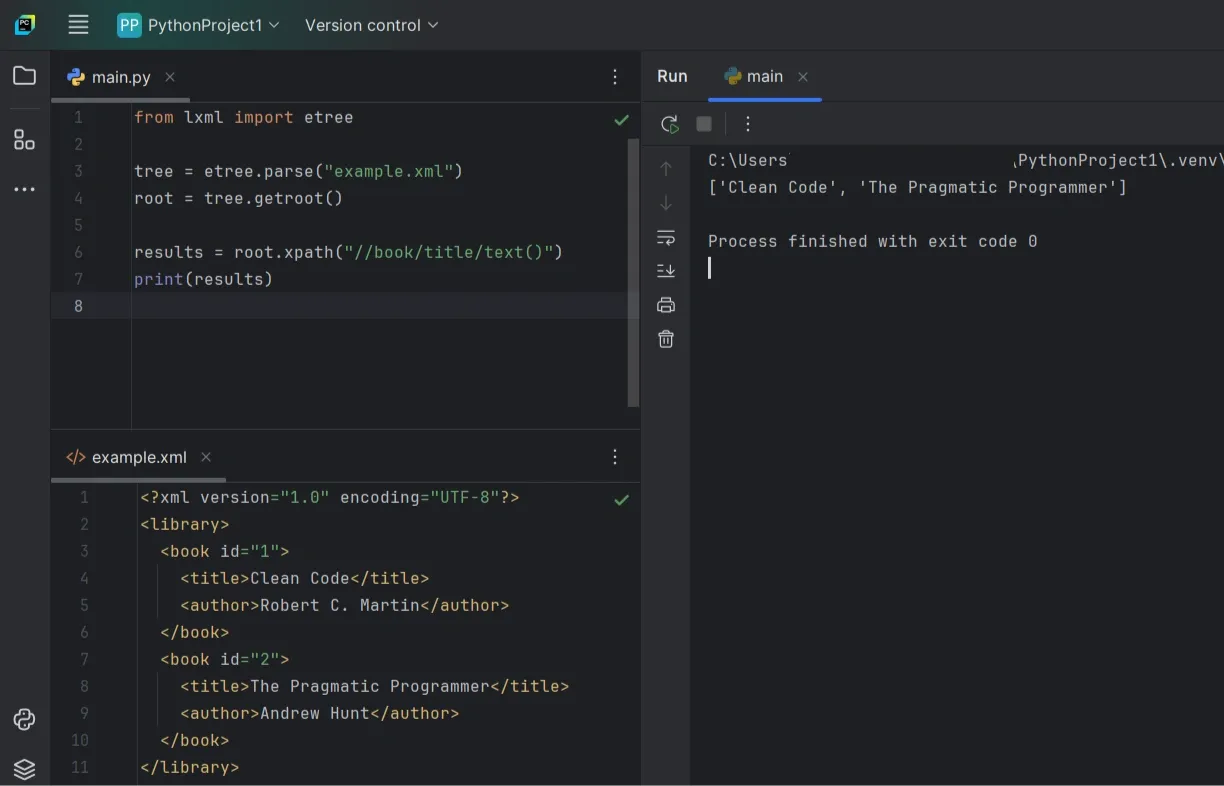
This returns a list of book title strings from every <title> under <book>.
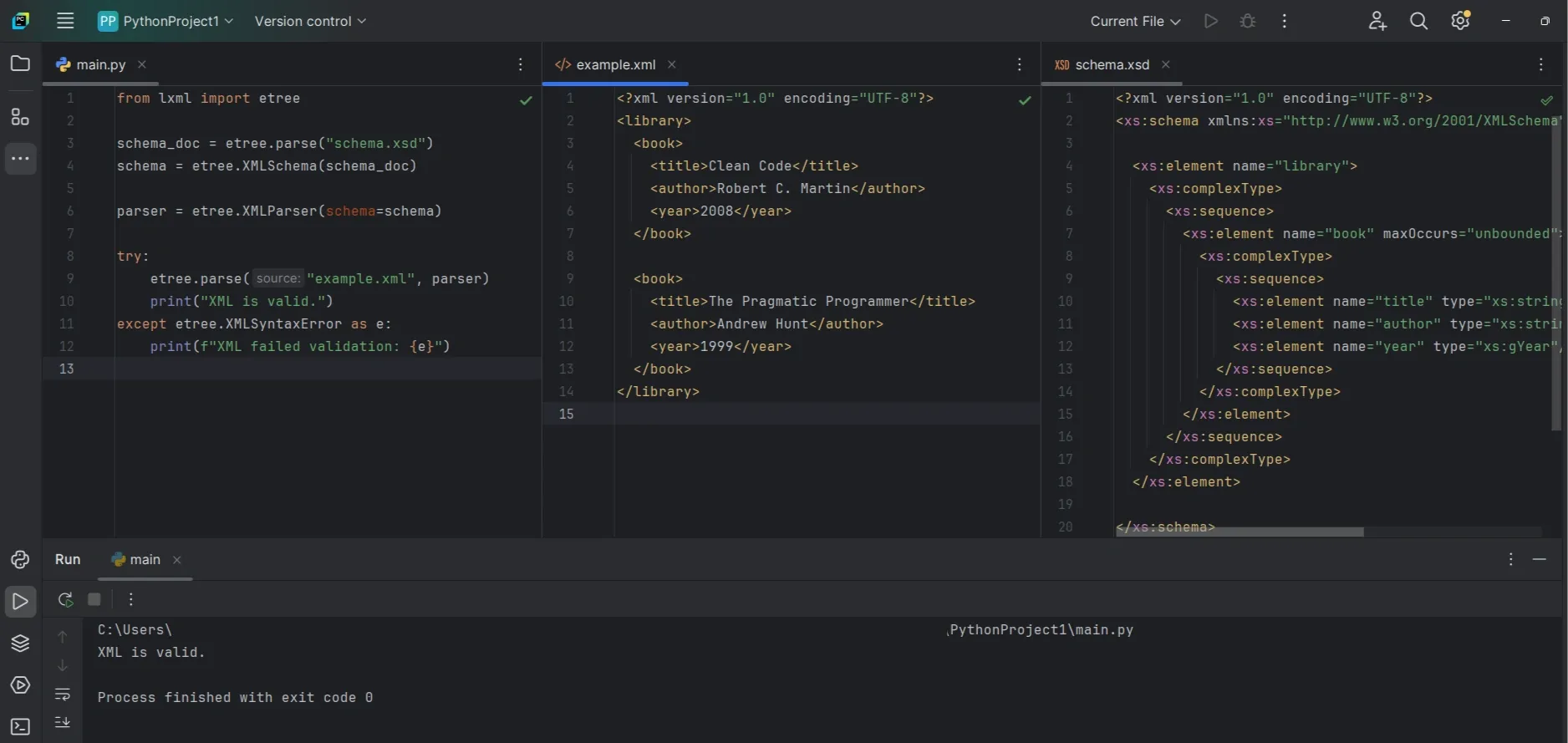
Validate XML With An XSD Schema
If you have an XSD schema file, lxml makes validation pretty direct.
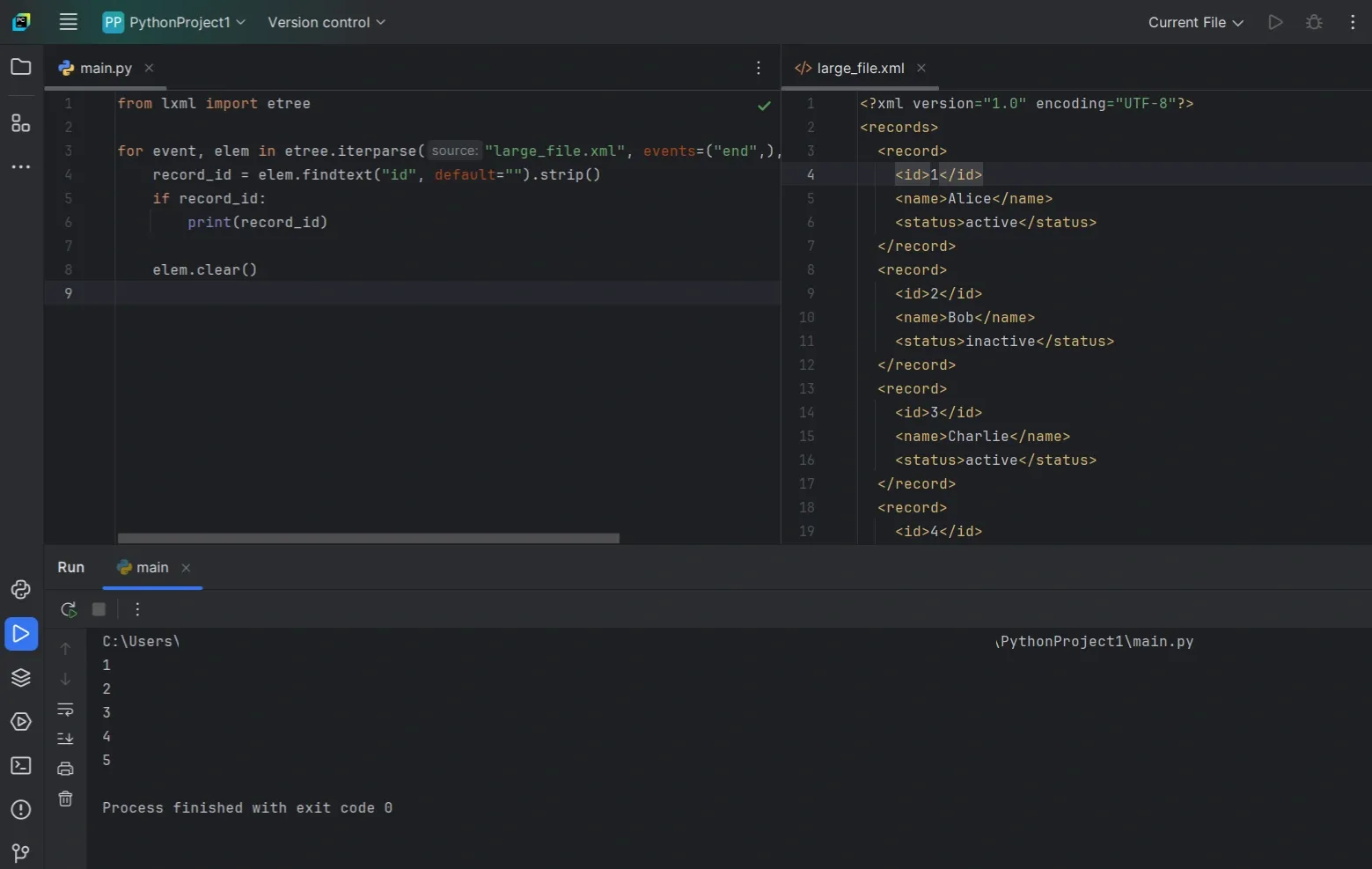
Stream Large XML With lxml iterparse()
You can stream large files with lxml too, and filtering by tag keeps things faster when you only care about one repeating element.
Use BeautifulSoup When XML Is Messy (And You Need Tolerance)
Most XML guides assume clean, well-formed input. Real feeds are often anything but. Tags go missing, structures change between records, and strict parsers fail fast.
That’s where BeautifulSoup can help. It’s useful when the goal is extraction, not correctness, and you’re okay with best-effort results.
When BeautifulSoup Makes Sense
BeautifulSoup is a reasonable choice when:
- The XML structure isn’t consistent across records
- You want quick searching with find() and find_all()
- You’re dealing with scraped data or vendor exports that are messy in practice
One thing to be clear about: if you want BeautifulSoup to parse XML properly, use "xml" mode and have lxml installed. That combination gives you the most predictable behavior.
Parse XML With BeautifulSoup
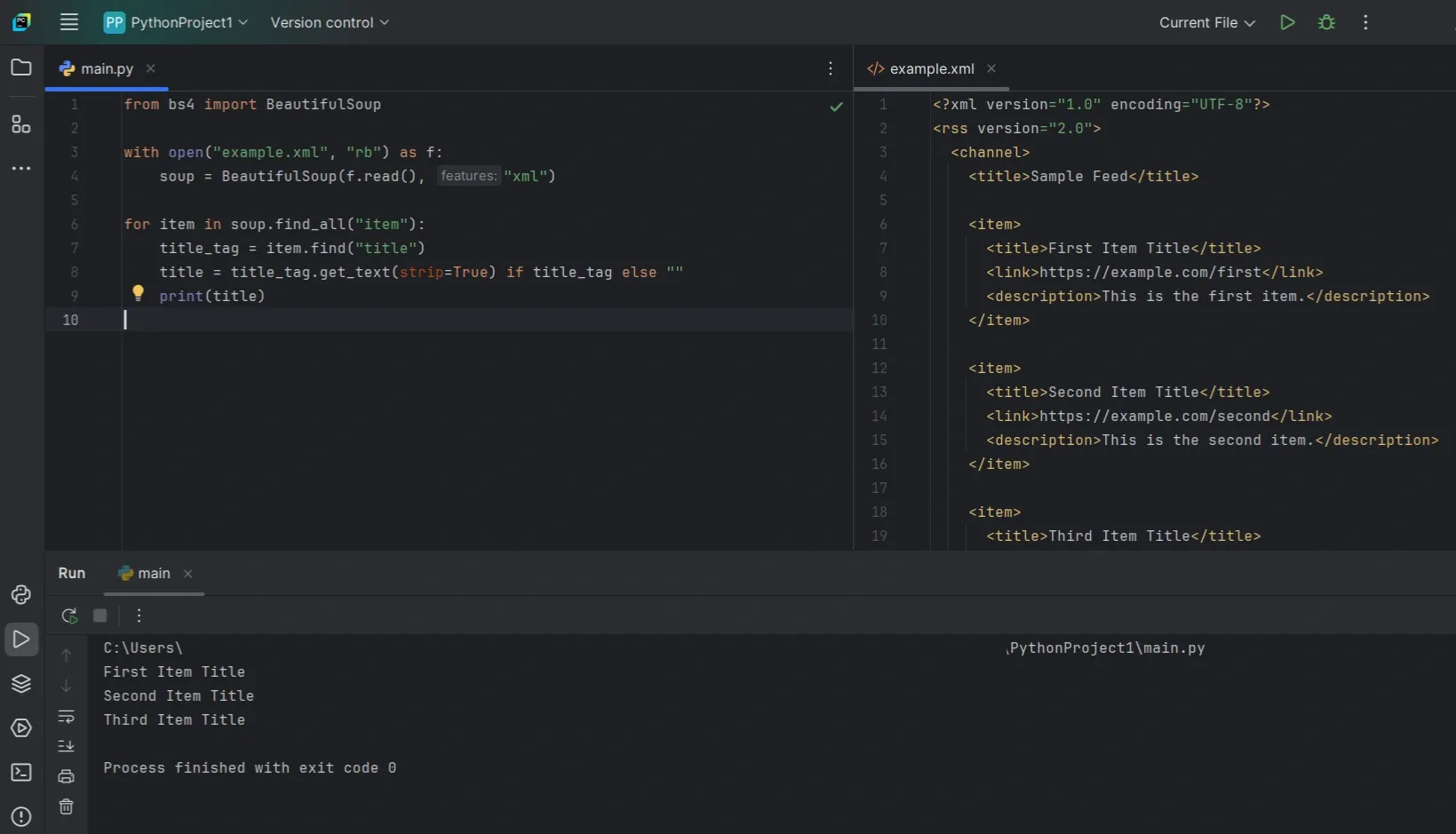
This stays simple on purpose. Missing tags don’t raise exceptions, and you can extract what’s available without defensive boilerplate everywhere.
If The XML Is Actually Broken
If the input isn’t well-formed XML at all, BeautifulSoup’s XML mode can still fail. XML is strict by design.
At that point, your realistic options are:
- Use lxml with a parser configured for recovery
- Parse as HTML if you only care about extraction and can accept HTML-style rules
The key is to choose the behavior you want up front, instead of expecting every “messy” file to behave like clean XML.
Secure XML Parsing And Safety Checks
Most XML issues come down to malformed input, missing tags, or unexpectedly large files. When parsing untrusted XML (uploads, user input, third-party feeds), there’s also a risk of abuse, such as inputs designed to exhaust CPU or memory or trigger unsafe parser features.
What Can Go Wrong With Untrusted XML
The common risks are:
- Entity expansion attacks (like “Billion Laughs”) that balloon CPU and memory
- Deep nesting that slows parsing or hits limits
- Huge documents that overload RAM
- XXE-style payloads if your parser is configured to allow external entity resolution / DTD features
With Python’s standard library, the biggest practical concern is usually denial of service (time/memory), even if you aren’t doing anything fancy.
Use defusedxml For Untrusted Input
If you want a safer default that still feels close to ElementTree, defusedxml is the usual recommendation for server-side parsing when the XML isn’t fully under your control.
Install:
Use it like this:
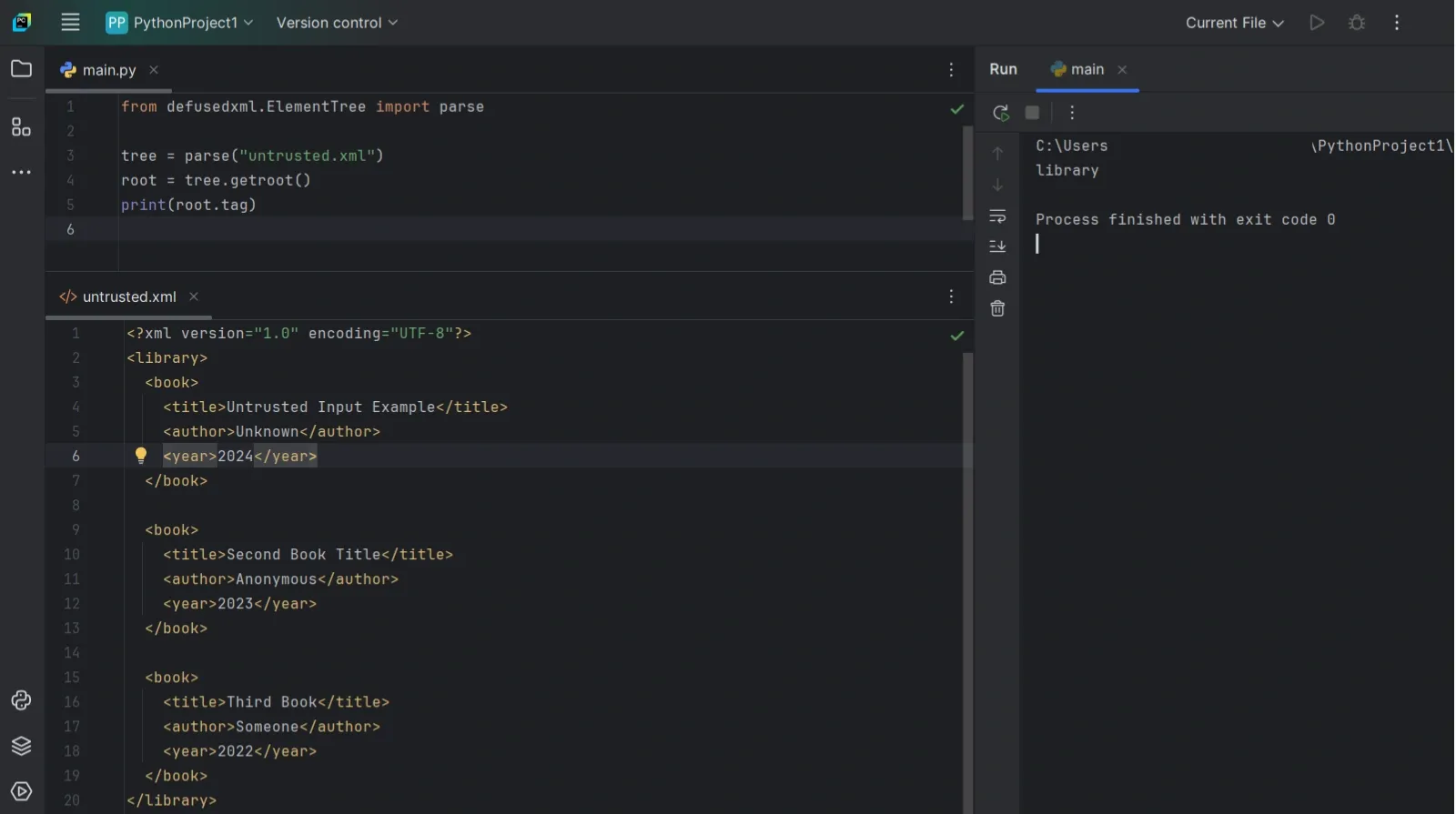
Note: defusedxml modules aren’t full drop-in replacements for everything in the stdlib XML modules. They mainly cover parsing/loading safely. For other utilities, keep using the standard library.
If You Use lxml, Lock It Down
lxml is powerful, but you should be explicit when parsing untrusted XML. In particular, lxml’s parser can resolve entities unless you turn that off.
A safer baseline looks like this:
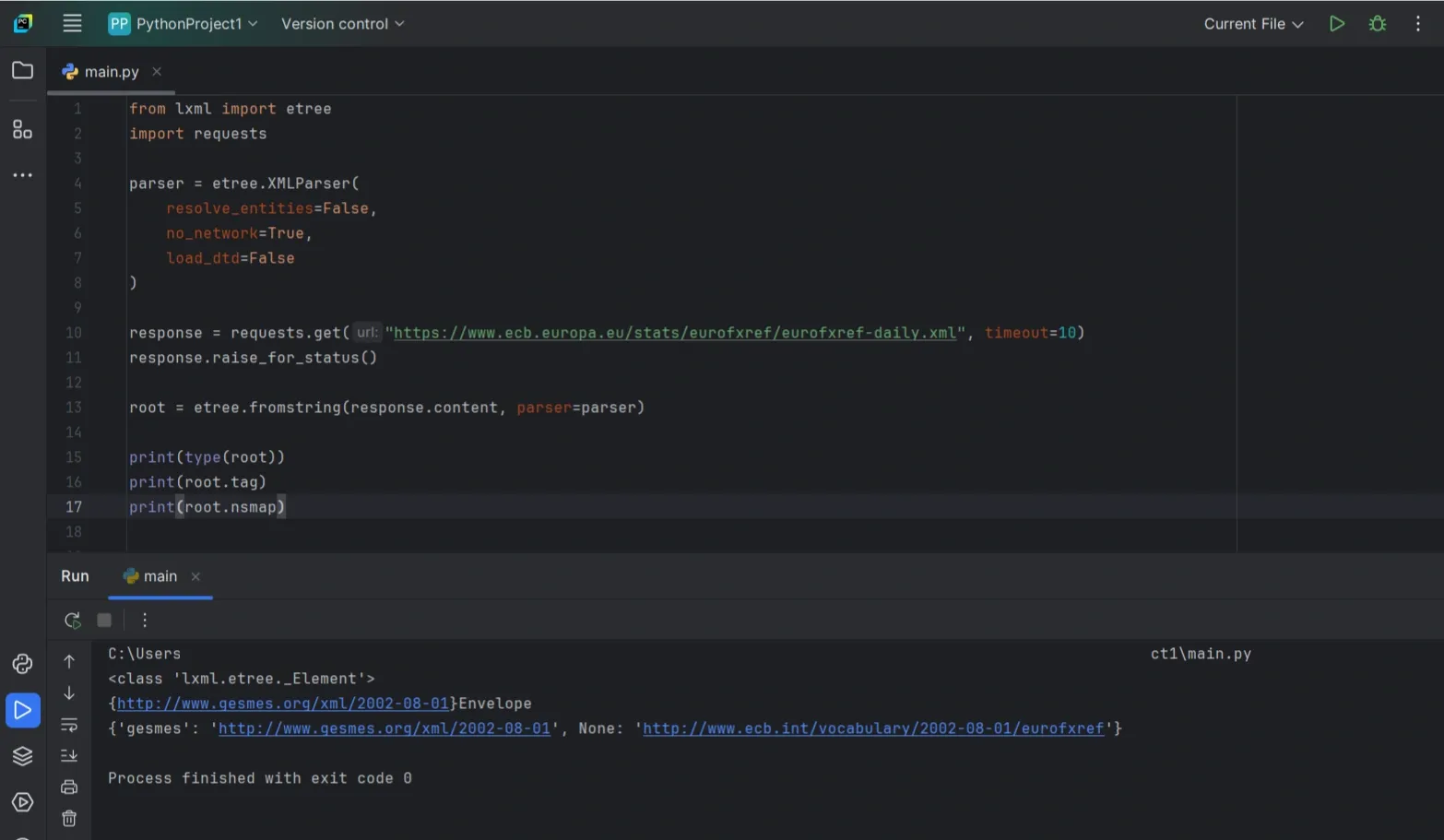
If you’re parsing from a file instead of bytes:
That’s usually enough to avoid the classic “entity/DTD surprise” problems while still letting you use XPath and validation when you need it.
Best Practices, Mistakes, And Troubleshooting
By now, parsing XML itself shouldn’t be the hard part. What usually causes issues is assuming the XML will always look the same. It won’t. Tags go missing, values come back empty, and namespaces quietly break your queries.
This section focuses on keeping your code stable when that happens.
Parse Defensively
Never assume a tag exists or contains text. Accessing .text directly will eventually crash your script.
That single check avoids the most common ElementTree error.
Clean Text Before Using It
Whitespace is common in XML and easy to miss. Newlines and extra spaces can break comparisons or downstream logic.
Stripping text as you extract it is a safe default:
When find() Suddenly Stops Working
If find() returns None even though the tag exists, namespaces are usually the reason. ElementTree stores namespaced tags using their full URI.
Printing a sample tag quickly shows what’s going on:
If you see a namespace wrapped in braces, your queries need to account for it. The simplest pattern is to define a namespace map and use it in your XPath/find calls:
Quick Troubleshooting Checklist
- find() returns None: wrong path or namespaces
- NoneType has no attribute 'text': missing tag, add checks
- Values look right but fail comparisons: strip whitespace
- Memory usage keeps climbing: switch to iterparse()
- Strict parsing keeps failing: try lxml or BeautifulSoup
